


An enterprise resource planning system can remain operational for years while quietly becoming less effective.
Transactions still process. Users can still log in. Orders, invoices, and journal entries continue moving through the system. From the outside, everything may appear to be working.
Behind the scenes, however, employees may be spending more time correcting data, maintaining spreadsheets, repeating manual work, and finding ways around the system. Reports may require regular adjustments. Integrations may fail without clear warnings. Access permissions may no longer reflect current roles.
These issues often develop slowly. The ERP does not suddenly stop working. Instead, the gap between what the system supports and what the business needs becomes wider.
A structured ERP health check checklist helps a company identify these gaps before they become expensive operational problems. It provides a clear way to evaluate data, workflows, reporting, integrations, users, controls, performance, and alignment with the business.
The aim is not to find faults for the sake of finding them. It is to understand where the ERP creates value, where it creates extra work, and which improvements should be prioritised.
What Is an ERP Health Check?
An ERP health check is a structured review of how well an ERP system supports the organisation’s current operations.
It looks beyond basic technical availability. A system can be online and technically stable while still creating inefficiency for finance, operations, sales, purchasing, inventory, and management.
A useful assessment considers questions such as:
- Is the data accurate and consistent?
- Are employees following efficient workflows?
- Can management trust the reports?
- Are connected systems exchanging complete information?
- Do users understand how to perform their work correctly?
- Are permissions and approvals properly controlled?
- Is system performance affecting productivity?
- Does the ERP still support the organisation’s structure and goals?
The answers help separate isolated user complaints from wider process or configuration problems.
Why Businesses Need Regular ERP Reviews
An ERP implementation reflects the business at a particular point in time. After implementation, the company continues to change.
It may add new products, services, locations, legal entities, teams, or sales channels. Employees move into different roles. Approval limits change. New applications are connected. Reporting requirements become more detailed.
If the ERP is not reviewed as these changes occur, old decisions remain embedded in the system.
Common signs of this problem include:
- Employees completing key tasks outside the ERP
- Multiple spreadsheets supporting one routine process
- Reports producing conflicting totals
- Manual corrections appearing every month
- Duplicate or outdated customer and vendor records
- Approval requests going to the wrong people
- Teams depending on one experienced user
- System errors becoming accepted as normal
- Employees creating unofficial workarounds
- Management questioning whether reports are reliable
A periodic ERP health check allows the company to address these problems systematically instead of waiting for a major failure.
1. Review ERP Data Quality
Data quality is the foundation of every ERP process. Weak data affects transactions, reporting, automation, integrations, and business decisions.
The review should cover important master records, including:
- Customers
- Vendors
- Items and services
- Accounts
- Departments
- Locations
- Subsidiaries
- Employees
- Projects
- Payment terms
- Tax information
Questions to include in the data review
Ask whether records are complete, current, consistently named, and free from unnecessary duplicates.
Check whether inactive records remain available for normal use. Review whether required fields are completed and whether different teams follow the same standards.
For example, duplicate customer records can split sales history across multiple accounts. Inconsistent item names can make inventory reporting unreliable. Incorrect account coding can create repeated work during the financial close.
How to improve ERP data quality
Start by assigning ownership to each important type of data. An individual or team should be accountable for approving changes and maintaining standards.
Practical improvements may include:
- Agreed naming conventions
- Required fields for critical information
- Duplicate-record checks
- Controlled record creation
- Regular data-quality reports
- Inactive-record procedures
- Clear correction workflows
- User training
The objective is not perfect data in every field. Priority should be given to the information that supports important transactions, controls, and decisions.
2. Assess Process Efficiency
An ERP should help employees complete routine work accurately and efficiently. If staff regularly leave the system to finish a process, the workflow deserves attention.
Typical examples include:
- Tracking approvals through email
- Recording information in separate spreadsheets
- Re-entering the same data in several systems
- Manually matching transactions
- Creating offline purchase requests
- Maintaining separate inventory records
- Preparing recurring journal entries manually
- Using personal task lists to manage system work
Some external tools may have a valid purpose. The concern is repeated manual work that exists because the ERP process is incomplete, difficult to use, or poorly understood.
Map the real workflow
Do not assess the documented process alone. Speak with the employees who perform the work and observe the actual steps.
For each important process, record:
- What starts the process?
- Who performs each activity?
- Which systems and files are used?
- Where is data entered or changed?
- Which approvals are required?
- Where do delays or errors occur?
- What manual checks are performed?
- What output completes the process?
This exercise may reveal duplicate activities, unclear ownership, unnecessary approvals, or system functionality that users are not using.
3. Test Reporting Reliability
Management reports should help leaders understand performance and make decisions. If users repeatedly correct ERP data in spreadsheets, confidence in the reports will decline.
A reporting review should examine:
- Financial statements
- Budget-versus-actual reports
- Cash-flow reporting
- Sales and margin reports
- Inventory reports
- Customer profitability
- Project reporting
- Department and location performance
- Operational metrics
- Regulatory or compliance reports
Warning signs of reporting problems
Look for reports that require the same corrections every month. Review whether different departments calculate the same metric differently.
Other warning signs include:
- Multiple versions of the same report
- Unexplained differences between reports
- Manual account reclassification
- Missing transactions
- Outdated filters
- Complex spreadsheet formulas
- Reports owned by one employee
- Metrics without documented definitions
Reliable reporting depends on good source data, correct configuration, agreed definitions, and clear ownership. A new reporting tool cannot fully compensate for weaknesses in these areas.
4. Evaluate ERP Integrations
Most ERP platforms exchange information with other business applications. These may include banking, payroll, customer relationship management, e-commerce, expense management, logistics, tax, or reporting systems.
An integration can appear to be working even when some records are delayed, duplicated, incomplete, or rejected.
What to review
For every important integration, document:
- The sending system
- The receiving system
- The information transferred
- Transfer frequency
- Record volumes
- Error handling
- Monitoring responsibility
- Reconciliation controls
- Recovery procedures
Ask how the business knows that every expected record was received. A successful connection message does not always prove that the transferred data was complete and correct.
Common integration problems
Frequent issues include incorrect field mappings, expired credentials, format changes, duplicate records, missing reference data, and errors that are visible only in technical logs.
A strong integration process includes business-level reconciliation. For example, the team may compare record counts, transaction totals, or control balances between the sending and receiving systems.
5. Measure User Adoption
An ERP can only deliver value when employees understand and use it correctly.
Low adoption does not always mean users are resistant to change. The process may be confusing, training may be outdated, or the system may require too many unnecessary steps.
Signs of weak user adoption
- Employees rely on informal workarounds.
- New staff learn from colleagues rather than documented guidance.
- The same errors appear repeatedly.
- Users ask one expert to complete difficult tasks.
- Important fields are frequently left blank.
- Teams use different methods for the same process.
- Available system features remain unused.
- Employees maintain separate offline records.
Improve adoption through practical support
Training should reflect each role’s real responsibilities. A general system demonstration is rarely enough.
Provide short instructions for common tasks, explain why important fields and controls exist, and give users a clear way to report problems.
The business should also review whether the expected process is reasonable. Training cannot solve a workflow that is unnecessarily complicated.
6. Review Controls, Roles, and Access
Roles and permissions often become outdated as employees change positions or take on new responsibilities.
Without regular review, users may retain access they no longer need. Approval workflows may also reflect an old organisational structure.
The ERP health check checklist should cover:
- User roles
- Administrative access
- Segregation of duties
- Approval limits
- Inactive accounts
- Temporary access
- Sensitive financial information
- Record-change permissions
- Audit trails
- Period-end access
- Emergency-access procedures
Balance security with usability
Excessive access creates risk, but overly restrictive access can also create operational problems. Employees may share information outside the system or ask other users to complete tasks on their behalf.
Access should follow job responsibilities and the principle of least privilege. Exceptions should be documented, approved, and reviewed.
7. Check System Performance and Stability
Slow screens and recurring errors reduce productivity. They also encourage employees to work outside the ERP.
Performance problems may affect only one role, location, process, or period of the month, so broad system monitoring may not reveal the full impact.
Ask users about:
- Slow pages or searches
- Failed background processes
- Long report-generation times
- Timeouts
- Repeated error messages
- Delayed integrations
- Unreliable scheduled activities
- Problems during peak periods
- Mobile or remote access
- Large data exports
Record how frequently each issue occurs and which business activities it affects. A minor delay repeated hundreds of times may cost more than a serious but rare error.
Performance concerns should be prioritised according to business impact, not technical visibility alone.
8. Confirm Business Alignment
The final area is also one of the most important: does the ERP still support the way the business operates today?
A system designed for a smaller or simpler organisation may struggle after growth, acquisition, international expansion, or a change in business model.
Review recent business changes
Consider whether the company has introduced:
- New legal entities
- Additional currencies
- New tax requirements
- New locations
- E-commerce channels
- Subscription services
- Project-based work
- New inventory models
- Shared-service functions
- Revised management structures
- New reporting requirements
The ERP should reflect these changes in its records, workflows, controls, and reporting structure.
If it does not, employees will build manual processes to bridge the gap.
How to Score Your ERP Health Check
A simple scoring method can help management identify priorities. Rate every area from 1 to 5:
- 1 — Critical: Major risk or disruption; immediate action required
- 2 — Weak: Frequent errors or manual work
- 3 — Adequate: Process works but has clear improvement opportunities
- 4 — Strong: Reliable process with minor issues
- 5 — Optimised: Efficient, controlled, documented, and aligned
Do not rely on the score alone. Record evidence, business impact, process ownership, and recommended action for each finding.
The lowest score may not always be the first priority. A problem with a smaller score but little business impact may be less urgent than a reporting or control issue affecting important decisions.
What to Do After the ERP Health Check
Avoid trying to correct every issue at once. Start with the area creating the most manual effort, risk, or reporting uncertainty.
For each priority:
- Document the current workflow.
- Identify the root cause.
- Estimate the operational impact.
- Assign an accountable owner.
- Define the desired outcome.
- Test the proposed change.
- Train affected users.
- Measure the result.
- Update process documentation.
Technology changes should follow process understanding. Otherwise, the company may automate an inefficient workflow or move the same problem into a different tool.
Benefits of a Regular ERP Health Check
A structured review can help the organisation achieve:
- More reliable data
- Faster routine processes
- Fewer spreadsheet corrections
- Better management reporting
- Stronger controls
- Clearer process ownership
- Improved user confidence
- More dependable integrations
- Reduced operational risk
- Better value from the ERP investment
It can also help management make informed decisions about optimisation, additional training, configuration changes, automation, or future system upgrades.
Conclusion
An ERP does not need to fail completely before it needs attention. It can remain operational while quietly increasing manual work, reporting uncertainty, and operational risk.
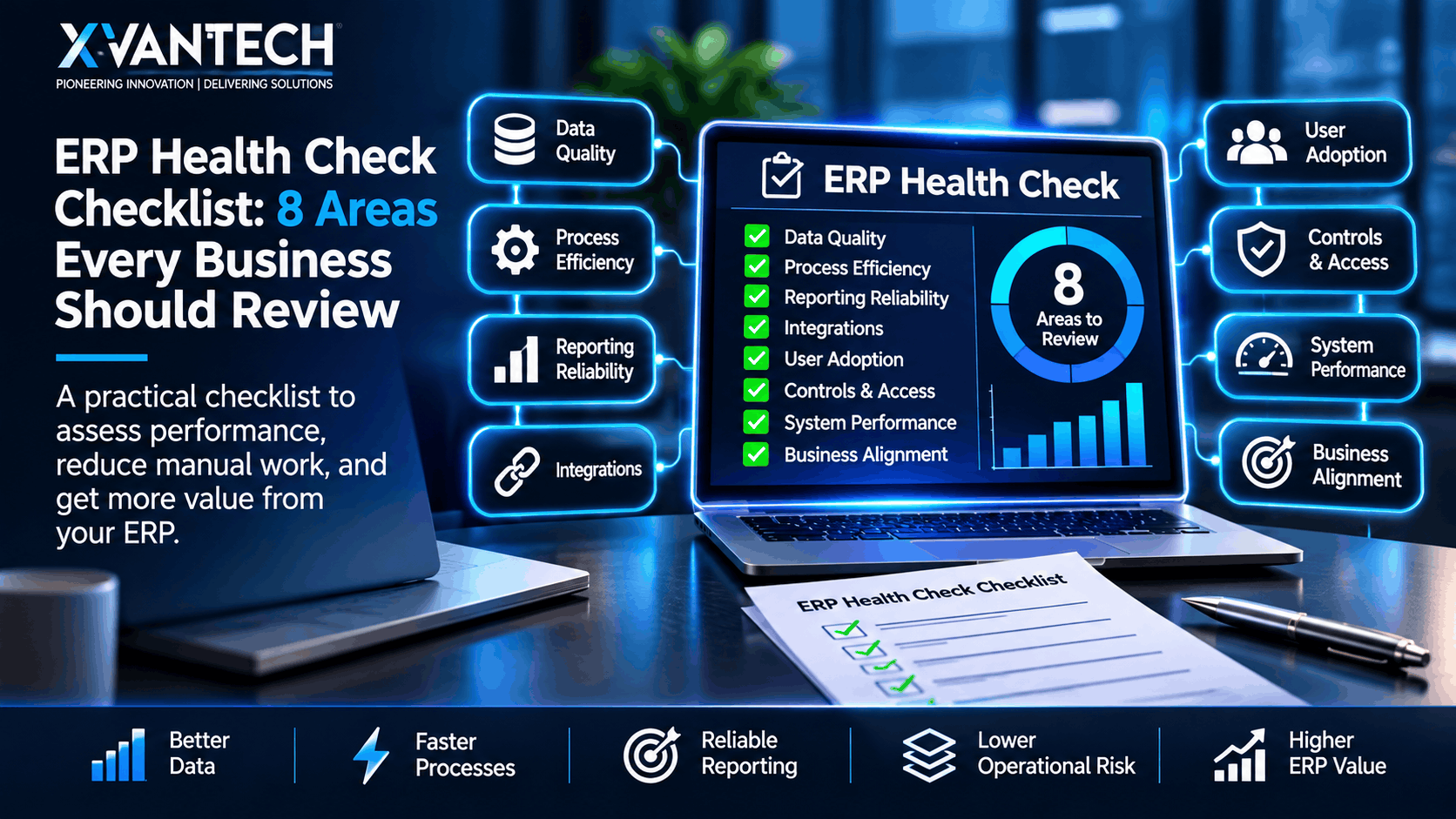
A practical ERP health check checklist examines eight connected areas: data quality, process efficiency, reporting reliability, integrations, user adoption, controls and access, system performance, and business alignment.
Start with the area causing the greatest uncertainty or effort. Document the workflow before changing the technology, involve the employees who perform the work, and address the root cause instead of adding another workaround.
The goal is not simply to keep the ERP running. It is to ensure the system continues to support accurate information, efficient operations, strong controls, and better business decisions.
Find Out Where Your ERP Is Creating Extra Work
XVanTech can help you review your ERP environment, identify operational gaps, and prioritise practical improvements.
Whether the problem involves NetSuite reporting, finance processes, integrations, data quality, controls, or user workflows, we can help you understand the cause and build a clear improvement plan.
Contact XVanTech to arrange an ERP health check and identify where your business can reduce manual work, improve reporting, and get more value from its systems.

