


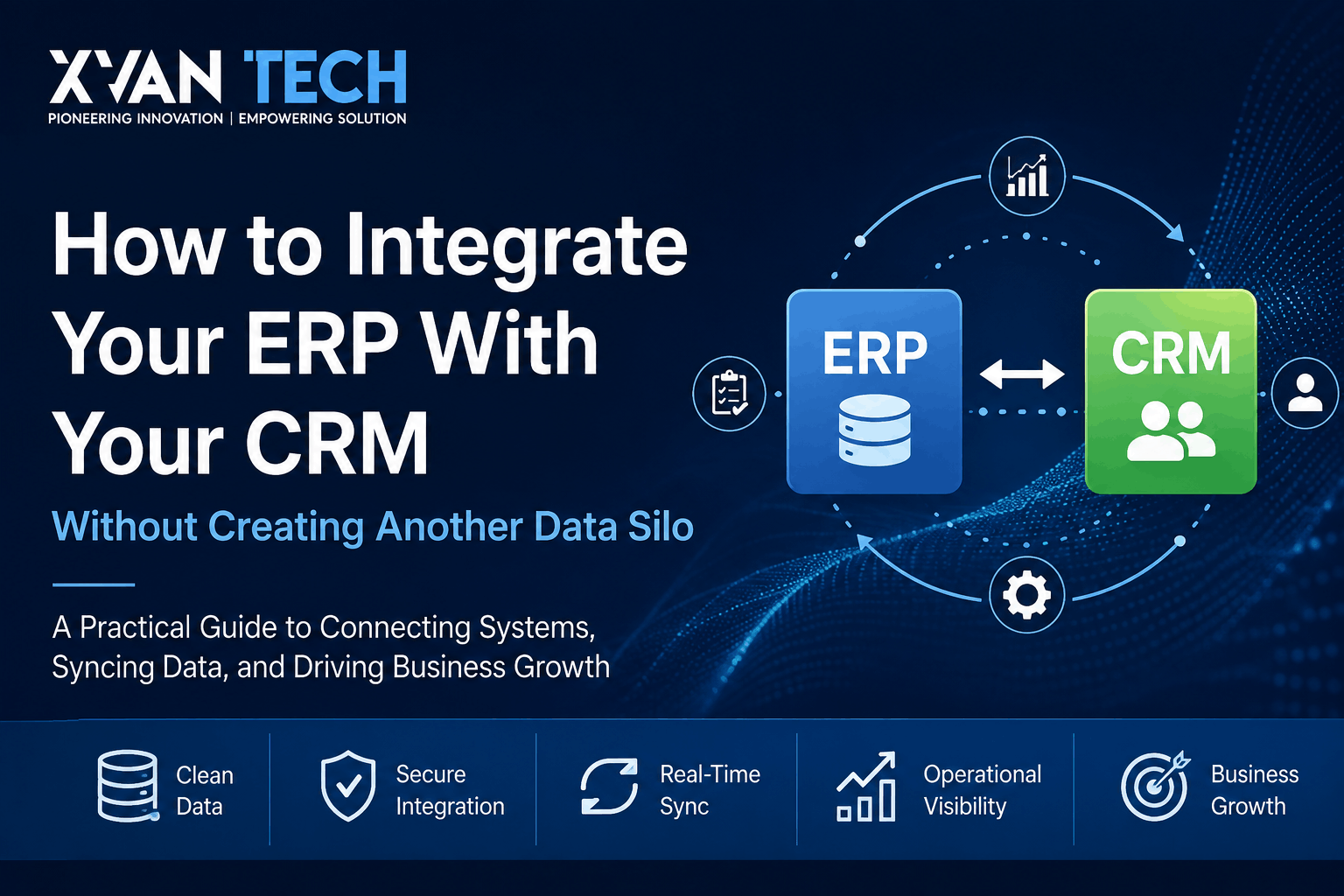
Your CRM knows what your customers are buying. Your ERP knows what actually happened after they bought it. Let me tell you how to integrate your ERP with your CRM!!
When those two systems don’t agree, the problem rarely stays inside IT.
Sales sees one customer record. Finance sees another. Operations has a different order status. A salesperson promises a delivery date based on information that is already outdated. Someone exports a spreadsheet, cleans it up, emails it to another department, and suddenly the spreadsheet becomes the unofficial integration layer.
The systems may technically be connected, but the business is still operating with fragmented information.
That is the central problem with ERP-CRM integration.
Connecting two applications is relatively easy. Designing the rules that determine what information moves, when it moves, which system owns it, who can change it, and what happens when something goes wrong is the difficult part.
For growing and mid-market businesses, that distinction matters. As companies add software, departments, locations, sales channels, and operational processes, the number of relationships between systems grows quickly. A CRM may sit alongside an ERP, accounting platform, ecommerce system, warehouse application, customer-service platform, marketing automation tools, and business intelligence environment.
If every application becomes its own version of the truth, adding more technology doesn’t solve the problem. It compounds it.
This guide explains how to integrate an ERP with a CRM properly—from data ownership and mapping through APIs, middleware, synchronization, security, testing, monitoring, and ongoing management.
The objective isn’t to make the ERP and CRM identical.
The objective is to make the business operate as one connected system while allowing each application to remain responsible for what it does best.
Part 1: Start With the Business, Not the API
What Is ERP-CRM Integration?
ERP-CRM integration is the process of connecting an enterprise resource planning (ERP) system with a customer relationship management (CRM) system so that relevant business information can move between them automatically.
A CRM generally supports customer-facing processes such as:
- Leads and prospects
- Accounts and contacts
- Sales opportunities
- Customer interactions
- Sales activities
- Marketing information
- Customer service
An ERP generally manages operational and financial processes such as:
- Products and SKUs
- Inventory
- Purchasing
- Sales orders
- Fulfillment
- Invoicing
- Accounts receivable
- Accounts payable
- Financial reporting
The two systems naturally overlap.
A customer exists in both environments. A sales opportunity eventually becomes an order. An order affects inventory and revenue. An invoice relates back to the customer and the original transaction.
Without integration, employees often become the bridge.
That creates manual work and introduces opportunities for errors.
With integration, information can move automatically between systems according to defined rules.
But there is an important distinction:
Data synchronization is not the same thing as business integration.
Synchronization answers:
“How do we move this record?”
Business integration answers:
“What should happen across the organization when this business event occurs?”
That second question is where the real value lies.
Why ERP and CRM Integration Often Goes Wrong
A company can have a functioning API connection and still have a broken integration.
Consider a typical scenario.
A salesperson creates a new account in the CRM.
The integration sends the customer to the ERP.
The ERP already has the same company under a slightly different name.
Instead of recognizing the existing record, it creates another customer.
Now there are two records.
The sales team updates one.
Finance updates the other.
The customer places an order.
Someone notices that the billing information doesn’t match.
An employee manually reconciles the records.
The business now has an integration—but it has also created another data-quality problem.
This happens because the integration was designed around data transfer, not around data ownership and business rules.
A strong ERP-CRM integration therefore starts with several questions:
- Which system owns the data?
- Which information actually needs to synchronize?
- How are records uniquely identified?
- When should information move?
- Which system is allowed to modify it?
- What happens when data is invalid?
- What happens when the destination system is unavailable?
- How does someone know an important transaction failed?
Those questions should be answered before development begins.
Step 1: Define the System of Record
The most important architectural decision is determining the system of record.
A system of record is the authoritative source for a particular type of information.
That does not necessarily mean the ERP owns everything or the CRM owns everything.
Ownership can be divided by data domain.
For example:
| Business Data | Possible System of Record | Usually Shared With |
|---|---|---|
| Leads | CRM | — |
| Opportunities | CRM | ERP after conversion |
| Customer account | CRM or ERP | Both |
| Contacts | CRM | ERP where needed |
| Products/SKUs | ERP | CRM |
| Inventory | ERP | CRM |
| Pricing | ERP | CRM |
| Sales orders | ERP | CRM |
| Fulfillment status | ERP | CRM |
| Invoices | ERP | CRM |
| Payment status | ERP | CRM |
| Customer interactions | CRM | — |
This is an example, not a universal architecture.
The right model depends on the business.
A company may decide that customer records originate in the CRM because sales owns the relationship. Another organization may require the ERP to own customer records because the customer is tightly connected to financial, tax, billing, and legal processes.
The important thing is that ownership is explicit.
Why this matters
Suppose both systems contain a customer’s billing address.
If a salesperson changes it in the CRM while accounting changes it in the ERP, which one should win?
If the answer is “the most recently changed record,” the integration is being asked to resolve a business governance problem.
A better architecture determines who owns the field before synchronization occurs.
Step 2: Decide What Data Actually Needs to Move
The next mistake is assuming that everything should synchronize.
It shouldn’t.
Every synchronized object adds complexity.
It may introduce:
- Another dependency
- Another transformation
- Another security requirement
- Another failure scenario
- Another monitoring requirement
- Another maintenance burden
Instead, classify information into three groups.
Data that must synchronize
Information required for a business process.
Example:
Closed sales opportunity → ERP sales order
Data that should synchronize
Information that gives another department useful operational visibility.
Example:
ERP order status → CRM
Data that does not need to synchronize
Information that provides little practical value to the other application.
For example, a sales representative may need to know that an invoice is overdue.
They probably don’t need access to the entire accounting ledger.
This is a fundamental principle:
Integrate what improves a business process, not everything an API makes available.
What Data Should Usually Be Integrated?
There is no universal data set, but several categories commonly have strong business value.
Customer and Account Data
Depending on the architecture, this may include:
- Customer ID
- Company name
- Contact information
- Billing address
- Shipping address
- Customer status
- Payment terms
- Account classification
The critical issue is ownership.
If the CRM creates the customer, does the ERP automatically create the corresponding financial account?
Or does finance review and approve the record first?
That decision affects the entire workflow.
Product and Pricing Data
Sales needs accurate information about the products it sells.
The ERP may contain:
- SKU
- Product name
- Product status
- Price
- Cost
- Inventory
- Units of measure
The CRM may display some of this information.
That does not mean the CRM should become the owner.
The ERP can remain the source of truth while the CRM consumes the relevant information.
Order Data
Order synchronization is often one of the most valuable integration workflows.
A typical process might look like:
Opportunity Closed → Validate Customer → Create/Update ERP Customer → Create Order → Return ERP Order ID → Update CRM
The sales team can then see the transaction without manually contacting operations.
Inventory Data
For businesses where inventory affects sales decisions, CRM users may need access to:
- Available inventory
- Allocated inventory
- Backorders
- Expected availability
The ERP remains responsible for inventory management.
The CRM simply receives the information required by the sales process.
Invoice and Payment Status
Sales and account-management teams may also need visibility into:
- Invoice status
- Outstanding balance
- Payment status
- Payment date
- Account hold status
But access should be controlled.
Integration doesn’t mean every user should see every financial field.
Part 2: Build the Integration Architecture
Step 3: Clean the Data Before Integration
There is an uncomfortable truth about integration:
It does not fix bad data. It distributes it faster.
Suppose a CRM contains:
- Duplicate accounts
- Incorrect addresses
- Missing customer IDs
- Inconsistent company names
- Invalid contact information
- Outdated customer statuses
Synchronizing those records into an ERP doesn’t create a clean architecture.
It creates two systems with the same problems.
Before integration, assess the quality of the underlying data.
Look at:
Accuracy
Is the information correct?
Completeness
Are the fields required by downstream processes populated?
Consistency
Are values represented the same way across systems?
Uniqueness
Does each customer represent one real business entity?
Freshness
Is the information current enough for the business process?
Ownership
Who is responsible for correcting it?
This becomes particularly important when integrating older systems or preparing for an ERP migration.
Integration projects often reveal data problems that existed for years but were hidden by manual workarounds.
Step 4: Map the Data
ERP and CRM platforms rarely structure information in exactly the same way.
One system may call something:
Account
while another calls it:
Customer
One system may separate:
First Name + Last Name
while another stores:
Full Name
Product codes, currencies, customer statuses, addresses, tax information, payment terms, and order statuses can all differ.
This is why data mapping should happen before development.
A simple mapping model might look like:
| CRM Field | ERP Field | Direction | Rule |
|---|---|---|---|
| Account Name | Customer Name | CRM → ERP | Normalize |
| CRM Account ID | External Customer ID | CRM → ERP | Persist |
| CRM → ERP | Validate | ||
| SKU | Item Number | ERP → CRM | Direct |
| Price | Sales Price | ERP → CRM | Apply business rules |
| Opportunity | Sales Order | CRM → ERP | Trigger on approved event |
| Order Status | Order Status | ERP → CRM | Transform values |
| Invoice Status | Receivables Status | ERP → CRM | Restrict access |
The mapping document becomes a shared reference for developers, business owners, testers, and administrators.
It also exposes architectural problems early.
If nobody can explain how a field should map, that is a business question that needs to be resolved—not something the developer should quietly guess.
Step 5: Establish Reliable Identifiers
One of the easiest ways to create duplicate customers is to match records using unreliable information.
Company names change.
People change email addresses.
Phone numbers change.
Addresses change.
Names can be formatted differently.
Instead, use durable identifiers wherever possible.
For example:
CRM Account ID ↔ ERP Customer ID
The integration stores the relationship between those records.
Then, when another transaction arrives, the system can determine whether the customer already exists rather than creating another record.
This becomes increasingly important as the business grows.
A company with a few hundred customers might survive manual cleanup.
A company with tens of thousands of records cannot realistically reconcile duplicates by hand.
Step 6: Choose the Right Integration Architecture
There is no single correct architecture for every ERP and CRM.
The right choice depends on:
- Number of systems
- API capabilities
- Transaction volume
- Business-process complexity
- Real-time requirements
- Data transformations
- Security requirements
- Internal technical capabilities
- Long-term technology strategy
Three common approaches are direct integration, middleware, and event-driven architecture.
Direct API Integration
The CRM communicates directly with the ERP.
CRM → ERP
This can work well when:
- There are only a few systems.
- Workflows are relatively simple.
- Both platforms provide capable APIs.
- The organization can maintain the integration.
The advantage is simplicity.
The disadvantage is that complexity can become difficult to manage as more systems are added.
Middleware and Integration Platforms
A middleware layer sits between systems.
CRM → Integration Layer → ERP
The integration layer can handle:
- Data transformation
- Routing
- Validation
- Authentication
- Logging
- Retries
- Error handling
- Monitoring
This becomes increasingly valuable when the business has multiple applications.
Instead of creating:
CRM ↔ ERP
CRM ↔ Warehouse
CRM ↔ BI
ERP ↔ Warehouse
ERP ↔ BI
the organization can establish a more structured integration layer.
This does not mean middleware is automatically better.
It means architecture should reflect the complexity of the environment.
Event-Driven Integration
Some processes are best represented as business events.
For example:
Opportunity Closed → Create Order
Order Shipped → Update CRM
Invoice Paid → Update Account
Inventory Changed → Update Availability
This approach can reduce unnecessary data movement and allow systems to respond to meaningful business events.
The key is not using the most fashionable architecture.
The key is choosing the architecture that matches the organization’s actual requirements.
Real-Time vs. Batch Integration
Not every data element needs to move immediately.
Real-time or near-real-time synchronization can make sense when:
- Inventory changes quickly.
- Order status affects customer communication.
- A transaction needs an immediate downstream action.
- Delays have financial consequences.
Batch processing may be appropriate when:
- Data changes infrequently.
- Minute-by-minute freshness has no business value.
- Large datasets are being processed.
- Real-time infrastructure would add unnecessary complexity.
Ask:
How fresh does this information need to be for someone to make a correct decision?
Don’t ask:
“Can we make everything real-time?”
Technology should serve the business process.
Part 3: Make the Integration Reliable and Secure
Step 7: Design the Workflow, Not Just the Data Transfer
This is where an integration becomes a business system rather than an API connection.
Consider a sales process:
Lead → Opportunity → Closed Deal → Order → Fulfillment → Invoice → Payment
Different systems may own different stages.
The CRM might manage the customer and sales process.
The ERP might manage the order, fulfillment, and financial transaction.
The integration defines the handoff.
For example:
- Sales creates an opportunity.
- Opportunity reaches an approved stage.
- Customer information is validated.
- Existing ERP customer is identified or a new one is created.
- Order information is sent to the ERP.
- ERP creates the order.
- ERP returns the order ID.
- CRM stores the ERP reference.
- ERP sends fulfillment updates back.
- CRM displays the appropriate status to sales.
- Financial status becomes available to authorized users.
Now the integration has a purpose.
It is not simply moving fields.
It is coordinating a business process across systems.
Step 8: Design for Failure
An integration that only works when every system is available and every user enters perfect data isn’t ready for production.
Things will fail.
An API may become unavailable.
A token may expire.
A customer record may fail validation.
A required field may be missing.
The ERP may reject an order.
The network may fail halfway through a transaction.
The architecture needs to know what happens next.
A reliable process might look like:
CRM sends transaction
↓
Integration validates data
↓
ERP rejects transaction
↓
Failure is recorded
↓
Business owner receives notification
↓
Transaction enters recovery process
↓
Problem is corrected
↓
Transaction is safely retried
That is dramatically different from silently losing the transaction.
Step 9: Prevent Duplicate Transactions
Consider another scenario.
The CRM sends an order to the ERP.
The ERP successfully creates the order.
But the response doesn’t reach the CRM because the network connection fails.
The CRM doesn’t know whether the order was created.
It sends the order again.
Without duplicate protection, the ERP creates a second order.
Now you have:
- Duplicate fulfillment
- Potential inventory problems
- Incorrect reporting
- Possible billing problems
- An unhappy customer
Production integrations therefore need mechanisms for idempotency and duplicate detection.
A transaction should have a reliable external reference.
For example:
CRM Order ID: CRM-10482
The ERP can determine whether that transaction has already been processed before creating another one.
This is a technical implementation detail, but its consequence is very business-oriented:
One failed network request should not become two customer orders.
Step 10: Secure the Integration
ERP and CRM platforms can contain some of the most sensitive information in a company.
Depending on the organization, that may include:
- Customer information
- Pricing
- Contracts
- Financial information
- Operational information
- Employee information
- Payment-related data
Security needs to be designed into the integration.
Important controls include:
Authentication
How does one system prove its identity to another?
Authorization
What is the integration actually permitted to do?
Least privilege
The integration account should have only the permissions necessary to perform its function.
Encryption
Protect information while it travels between systems.
Credential management
API keys, secrets, and credentials should be managed securely rather than embedded in application code.
Audit logging
Important integration activity should be traceable.
Role-based access
A CRM user shouldn’t automatically receive access to every ERP field simply because the systems are connected.
The principle is simple:
Connect systems broadly enough to support the business, but expose data narrowly enough to protect it.
Step 11: Monitor the Integration After Launch
Going live isn’t the end of the project.
It’s the beginning of operating the integration.
Monitoring should answer questions such as:
- Are transactions processing?
- How many are failing?
- Which workflows are failing?
- How long are transactions taking?
- Are retries increasing?
- Are duplicate records appearing?
- Are API limits being approached?
- Is one system returning unusual errors?
For important workflows, monitoring should be tied to business impact.
A failed marketing synchronization might be inconvenient.
A failed $100,000 order synchronization could be materially different.
Prioritize alerts accordingly.
This is also why integration ownership needs to be defined.
Someone needs to know:
Who receives the alert?
Who investigates it?
Who fixes the data?
Who approves changes?
Who maintains the integration when the ERP or CRM changes?
If the answer is “the developer who built it,” you have created a long-term dependency.
Step 12: Test Real Business Scenarios
Testing an API isn’t enough.
A developer can confirm that an API returns a successful response while the actual business workflow remains broken.
Test complete scenarios.
New customer
A customer is created in the CRM.
Does the ERP receive it?
Does the system recognize an existing customer?
Are identifiers preserved?
Existing customer
A new order is created for an existing account.
Does the integration reuse the correct ERP customer?
Does it prevent duplicates?
Invalid order
An order contains invalid information.
Does the ERP reject it?
Is the reason captured?
Can the transaction be corrected and retried?
ERP outage
The ERP becomes temporarily unavailable.
Does the integration preserve the transaction?
Can it safely retry later?
Duplicate event
The same transaction arrives twice.
Does the system recognize it?
Does it prevent duplicate creation?
Customer update
A customer’s information changes.
Which system owns the change?
Where should it propagate?
Can another system overwrite it incorrectly?
High-volume period
A large number of transactions arrive within a short period.
Can the architecture handle the load?
Testing should reflect reality.
Part 4: Turn Integration Into a Business Capability
Common ERP-CRM Integration Mistakes
1. Starting with the technology
If the first question is “Which API do we use?” you’re probably starting too late in the process.
Start with the business workflow.
2. Synchronizing everything
More data creates more complexity.
Integrate what has a business purpose.
3. No clear system of record
If both systems are allowed to own the same information, conflicts are inevitable.
4. Matching customers by name
Names aren’t reliable identifiers.
Use durable cross-system IDs.
5. Ignoring data quality
Automation doesn’t clean bad information.
It spreads it.
6. No recovery process
A failed transaction needs a clear recovery path.
7. Giving the integration excessive permissions
Convenience isn’t a security architecture.
Use least privilege.
8. Testing only successful scenarios
Real businesses experience failures.
Test them deliberately.
9. Making everything real-time
Real-time is useful when the business needs it.
Otherwise, it can add unnecessary cost and complexity.
10. Treating go-live as the finish line
Integrations require monitoring, documentation, maintenance, and ownership.
How Much Does ERP-CRM Integration Cost?
There isn’t a responsible universal price.
A simple integration between two modern SaaS applications is fundamentally different from a multi-system architecture involving a legacy ERP, custom business rules, large-scale data cleanup, middleware, financial controls, and real-time workflows.
The major cost drivers include:
- Number of systems
- API capabilities
- Data quality
- Number of workflows
- Data volume
- Custom transformations
- Real-time requirements
- Middleware
- Legacy systems
- Security requirements
- Testing
- Migration
- Monitoring
- Ongoing support
The important point is that integration cost is driven by complexity, not simply by whether an API exists.
A cheap connector can establish the first connection while leaving the difficult work untouched.
If the business still has duplicate customers, conflicting records, failed orders, weak security, and no monitoring, the connector didn’t solve the integration problem.
It only established communication between two applications.
How Long Does ERP-CRM Integration Take?
The timeline depends on the same variables.
A straightforward integration involving clean data, modern APIs, and a few well-defined workflows can be relatively manageable.
A complex implementation involving multiple systems, legacy technology, custom workflows, migration, security requirements, and extensive testing is a different project entirely.
A realistic integration project generally includes:
Discovery → Architecture → Data Assessment → Mapping → Development → Testing → User Acceptance → Deployment → Monitoring
The temptation is to remove discovery and testing because they don’t look like development work.
That can be expensive.
Problems discovered during planning are usually cheaper to fix than problems discovered after customers, orders, inventory, and financial transactions are already flowing through production.
When Should You Use Custom ERP-CRM Integration?
Not every business needs custom development.
If a reliable native integration or established connector solves the actual business requirements, using it may be the better decision.
Custom integration becomes more compelling when:
- Existing connectors cannot support required workflows.
- Multiple systems need to communicate.
- Complex transformations are required.
- The business has unique pricing or order logic.
- Real-time processing is important.
- Legacy applications must be included.
- Custom validation is necessary.
- Existing middleware cannot support the required architecture.
- Security requirements require tighter control.
- Error recovery needs to be highly customized.
The decision should not be:
“Can we build this ourselves?”
The better question is:
“Which approach gives the business the required outcome with an acceptable level of complexity, cost, reliability, security, and long-term maintenance?”
That’s the decision that matters.
ERP-CRM Integration Is Really About Connecting the Business
This is the bigger picture.
The ERP and CRM are only two pieces of the operating environment.
A typical business may have:
Marketing → CRM → Sales → ERP → Fulfillment → Finance → Customer Service → Reporting
The customer experiences one company.
Internally, however, that company may operate through six or ten different applications.
If those systems don’t share reliable information, employees compensate.
They create spreadsheets.
They send emails.
They copy and paste.
They manually reconcile reports.
They call another department to ask for an order status.
That is where operational friction accumulates.
A well-designed integration removes some of that friction by making information available where it is needed.
But the benefits extend further.
Once reliable information flows between business systems, organizations have a stronger foundation for:
Automation
Processes can trigger actions automatically instead of relying on employees to move information manually.
Analytics
Business intelligence becomes more useful when the underlying operational data is consistent.
Forecasting
Sales, orders, inventory, and financial information can be analyzed together.
Customer experience
Employees can see relevant customer and transaction information without jumping between systems.
AI
AI applications can become much more useful when the underlying business data is accessible, governed, and reliable.
This last point is worth emphasizing.
AI does not remove the need for good business-system architecture. It increases the importance of it.
An AI agent connected to reliable ERP and CRM data can potentially assist with useful workflows.
An AI system connected to contradictory customer records and poorly governed processes can simply automate bad decisions faster.
The foundation still matters.
A Practical ERP-CRM Integration Checklist
Before an integration goes live, your team should be able to answer these questions.
Business process
- What problem are we solving?
- Which workflows actually require integration?
- Where does responsibility move between systems?
Data ownership
- Which system owns customers?
- Which owns products?
- Which owns pricing?
- Which owns orders?
- Which owns financial information?
Data quality
- Have duplicates been identified?
- Are required fields complete?
- Are formats consistent?
- Who owns ongoing data quality?
Architecture
- Are direct APIs sufficient?
- Is middleware necessary?
- Which processes require real-time synchronization?
- Which can operate in batches?
Reliability
- What happens when an API fails?
- How are retries handled?
- How are duplicates prevented?
- How are failed transactions recovered?
Security
- Are credentials protected?
- Does the integration use least privilege?
- Is sensitive information appropriately restricted?
- Is important activity logged?
Testing
- Have normal workflows been tested?
- Have failure scenarios been tested?
- Have duplicate scenarios been tested?
- Has outage recovery been tested?
Operations
- Who owns the integration?
- Who receives alerts?
- Who resolves failures?
- How are future ERP and CRM changes tested?
If those questions don’t have clear answers, the integration isn’t finished.
The Bottom Line
If you’re evaluating how to integrate an ERP with a CRM, don’t start with:
“How do we connect these two systems?”
Start with:
“How should information move through our business?”
Then establish:
- Which system owns each type of information.
- Which data actually needs to move.
- When that data should move.
- How records will be uniquely identified.
- How information will be validated.
- What happens when synchronization fails.
- Who is allowed to access each type of information.
- How the integration will be monitored.
- Who owns it after implementation.
That is how you avoid turning an integration project into another data silo.
The strongest ERP-CRM architecture isn’t the one that synchronizes the most data.
It’s the one that allows sales, finance, operations, customer service, and leadership to work from reliable information while keeping each system responsible for the processes it was designed to manage.
Integration is not about making two systems identical.
It’s about making the business connected.
Frequently Asked Questions
Can an ERP and CRM share the same customer data?
Yes. They can share relevant customer information while maintaining different responsibilities. The important step is defining which system is authoritative for each field or data domain and synchronizing only what the other system actually needs.
Should the ERP or CRM be the system of record?
There is no universal answer. CRM systems commonly own sales and customer-interaction data, while ERP systems commonly own products, inventory, orders, and financial transactions. Customer-account ownership should be decided according to the organization’s actual processes.
What data should be synchronized between an ERP and CRM?
Common examples include customer information, contacts, products, pricing, orders, inventory availability, fulfillment status, invoices, and payment status. The exact scope should be based on business requirements rather than on how much data the APIs can expose.
Can ERP and CRM integration be real-time?
Yes. APIs, webhooks, event-driven systems, and integration platforms can support real-time or near-real-time workflows. However, not every piece of information needs to be synchronized immediately. The required data freshness should be determined by the business process.
Is middleware required for ERP-CRM integration?
No. Direct API integration can work well for relatively simple environments. Middleware becomes more valuable when organizations have multiple applications, complex transformations, centralized monitoring, or more sophisticated routing and error-handling requirements.
How do you prevent duplicate customers?
Use stable identifiers and explicit matching rules. Cross-system IDs are generally more reliable than using company names, phone numbers, addresses, or email addresses alone.
What happens when ERP-CRM synchronization fails?
A properly designed integration should record the failure, preserve the transaction where appropriate, determine whether it can be safely retried, alert the responsible party, and provide a recovery process.
How much does ERP-CRM integration cost?
There is no universal price. Cost depends on the systems involved, API capabilities, data quality, number of workflows, custom business rules, real-time requirements, legacy technology, security, testing, migration, and ongoing support.
How long does ERP-CRM integration take?
It depends on the complexity of the environment. Clean data, modern APIs, and a small number of workflows can reduce implementation effort, while legacy systems, complex business rules, multiple applications, migration, and extensive testing can significantly increase it.
Can AI use ERP and CRM data?
Yes, provided the data is accessible, reliable, properly governed, and subject to appropriate security and permissions. Connected ERP and CRM data can provide useful context for AI applications, automation, analytics, and AI agents.
Final Thought
ERP-CRM integration should not be treated as a project to make two applications “talk.”
It should be treated as an opportunity to improve how information moves through the business.
When data ownership is clear, records are reliable, workflows are intentional, security is designed properly, and failures are recoverable, the technology becomes much more than a connector.
It becomes part of the company’s operating infrastructure.
And for organizations that are already dealing with disconnected systems, manual reconciliation, duplicate customer records, or inconsistent operational reporting, the first step isn’t necessarily buying another platform.
It may simply be understanding how the systems you already have should work together.
Discuss Your ERP/CRM Integration Architecture with XVanTech

